

TB 9-6625-2079-35
b. Adjustments
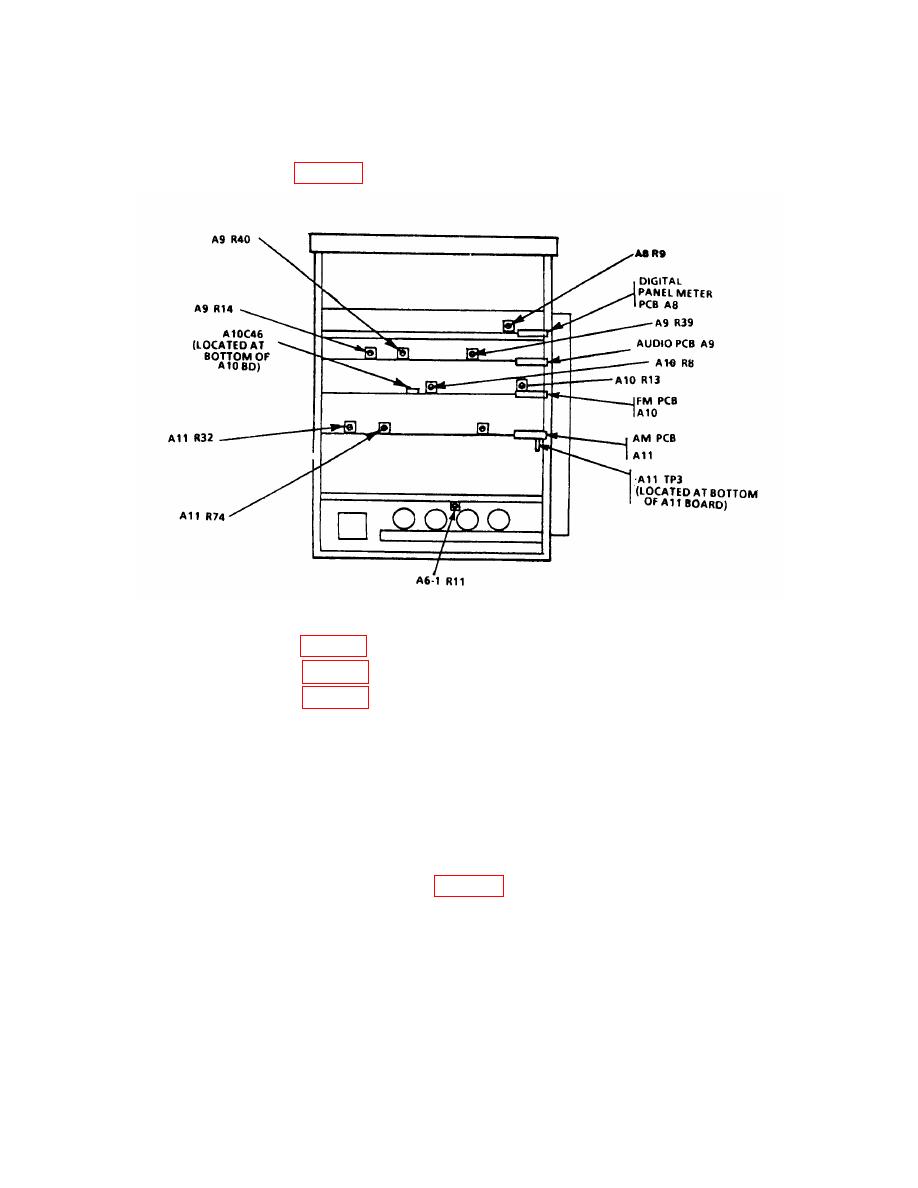
(1) Adjust A8R9 (figure 2) until TI indication is same as multimeter indication (R).
(2) Adjust A9R14 (figure 2) for same TI display recorded in a (5) above (R).
(3) Adjust A9R39 (figure 2) for a 0.0000 indication on multimeter (R).
(4) Adjust A9R40 (figure 2) for a 0.0000 indication on multimeter (R).
10. Frequency Modulation Accuracy
NOTE
Prior to performing this paragraph, the measuring receiver
must be checked in the FM mode of operation against its built-
in calibrator with FM calibration factors (17.1 SPCL) enabled.
a. Performance Check
(1) Connect equipment as shown in figure 3.
(2) Press TI pushbuttons as listed in (a) through (e) below:
(a)
HIGH-PASS (Hz) to 30.
(b)
LOW-PASS (kHz) to 15.
(c)
PEAK to PK-PK/2.
(d)
RANGE to 10.
(e)
FUNCTION to kHz DEV.
