

TB 9-6625-2325-35
(4) Adjust calibrator amplitude output adjustment controls for a 0 percent Error
display indication and adjust R5 (fig. 1) until TI indication equals TI indication recorded
in a(6) above (R).
10. dB Display Mode
a. Performance Check
(1) Connect calibrator OUTPUT HI and LO to TI INPUT.
(2) Press and release all front panel pushbuttons to out position, except
POWER.
(3) Press RANGE HOLD/AUTO pushbutton to HOLD and STEP UP
pushbutton to 2 V range.
(4) Set calibrator for a 1 V, 50 kHz output. Adjust calibrator amplitude output
adjustment controls for a 1.000 V TI indication.
(5) Press DISPLAY dB/VOLTS pushbutton to dB.
(6) Set dBm REFERENCE (Ω ) switch to 50. TI will indicate between +12.99
and +13.01 dB.
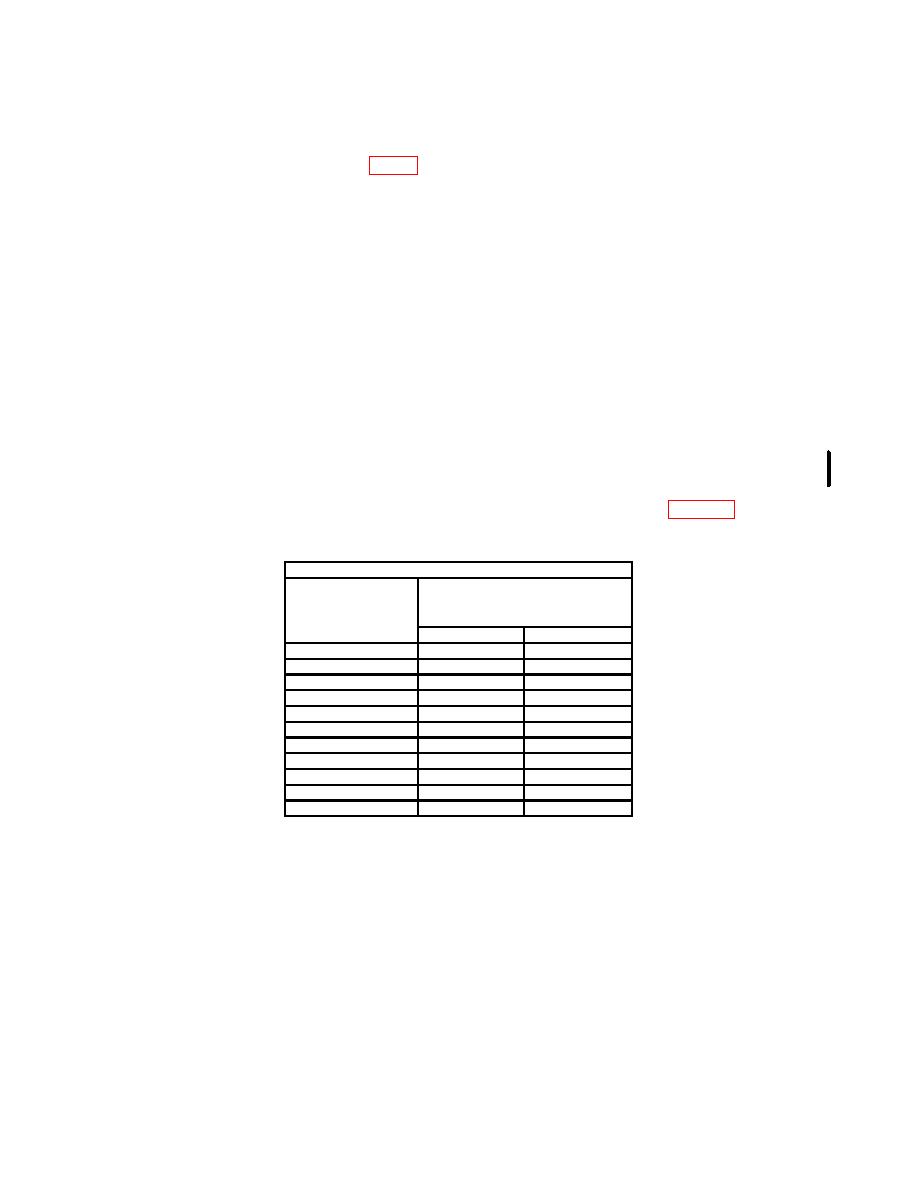
(7) Set dBm REFERENCE (Ω ) switch to settings listed in table 4. TI will
indicate within limits specified.
Test instrument
Indications
dBm
REFERENCE (Ω)
(dB)
switch settings
Min
Max
75
+11.23
+11.25
93
+10.30
+10.32
110
+9.57
+9.59
124
+9.05
+9.07
135
+8.68
+8.70
150
+8.22
+8.24
300
+5.21
+5.23
600
+2.20
+2.22
900
+.44
+.46
1000
-.00
-.02
1200
-.79
-.81
(8) Set calibrator for a 1 V, 50 kHz output.
(9) Press DISPLAY REL/dBm pushbutton to REL. TI will indicate between -
0.01 and +0.01 dB.
(10) Press and release RANGE HOLD/AUTO pushbutton to AUTO.
(11) Adjust calibrator for a 10 V, 50 kHz output. TI will indicate between +19.99
and +20.01 dB.
b. Adjustments. No adjustments can be made.
CHANGE 1 11
