

TB 9-6625-2099-24
(6) CH 1 and CH 2 AC-GND-DC switches to DC.
(7) BW switch to FULL.
13. Vertical Gain
a. Performance Check
(1) Connect oscilloscope calibrator CHAN 1 to TI CH 1 and connect oscilloscope
calibrator CHAN 2 to TI CH 2. Ensure oscilloscope calibrator CHAN 1 output is presently
selected by pressing oscilloscope calibrator CHANNEL pushbutton and then pressing blue
soft pushbutton located below CHAN 1 on oscilloscope calibrator display.
(2) Set oscilloscope calibrator VOLTAGE output to 50 mV and frequency to 1 kHz.
(3) Adjust CH 1 POSITION, oscilloscope, and time base controls as necessary to
view waveform.
(4) Adjust CH 1 (front panel) GAIN control for 5 divisions of display.
oscilloscope calibrator knob located below EDIT FIELD pushbutton to obtain oscilloscope
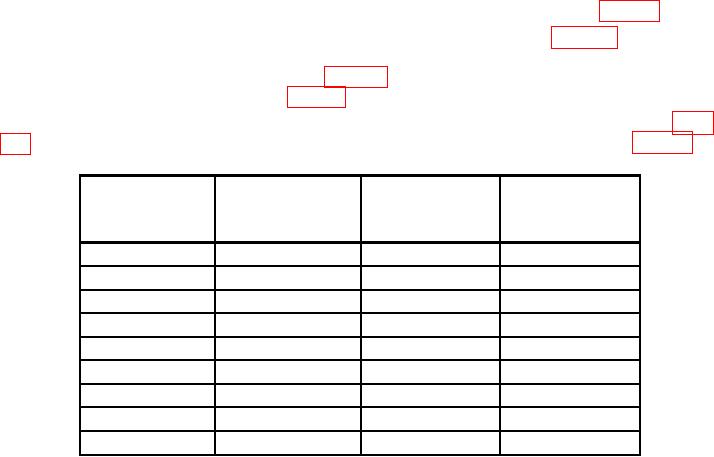
indicate within limits as specified in table 8; if not, perform b(1) through (4) below.
(7) Repeat technique of steps (4) through (6) above for remaining rows listed in table
Table 8. CH 1 Vertical Gain
Oscilloscope
Test instrument
calibrator
VOLTS/DIV
Err display limits
Oscilloscope calibrator
Test instrument
VOLTAGE output
switch settings
display divisions
(%)
5
mV
20
mV
4
2
20
mV
0.1
V
5
2
50
mV
0.2
V
4
2
0.1
V
0.5
V
5
2
0.2
V
1
V
5
2
0.5
V
2
V
4
2
1
V
5
V
5
2
2
V
10
V
5
2
5
V
20
V
4
2
(8) Set DISPLAY MODE switch to CH 2.
(9) Set oscilloscope calibrator output to CHAN 2 using technique in step 1 above.
(10) Set oscilloscope calibrator VOLTAGE output to 50 mV at 1 kHz.
(11) Adjust CH 2 POSITION, oscilloscope, and time base controls as necessary to
view waveform.
(12) Adjust CH 2 (front panel) GAIN control for 5 divisions of display.