

TB 9-6695-273-35
(3)
Measure frequency. If frequency counter does not indicate between 499.95
and 500.05 MHz, perform b below.
(4) Press STANDBY pushbutton to STANDBY.
b. Adjustments
(1) Adjust C3029 (fig. 1) for 500.00 MHz indication on frequency counter (R).
(2) Repeat paragraph 8 a.
a. Performance Check
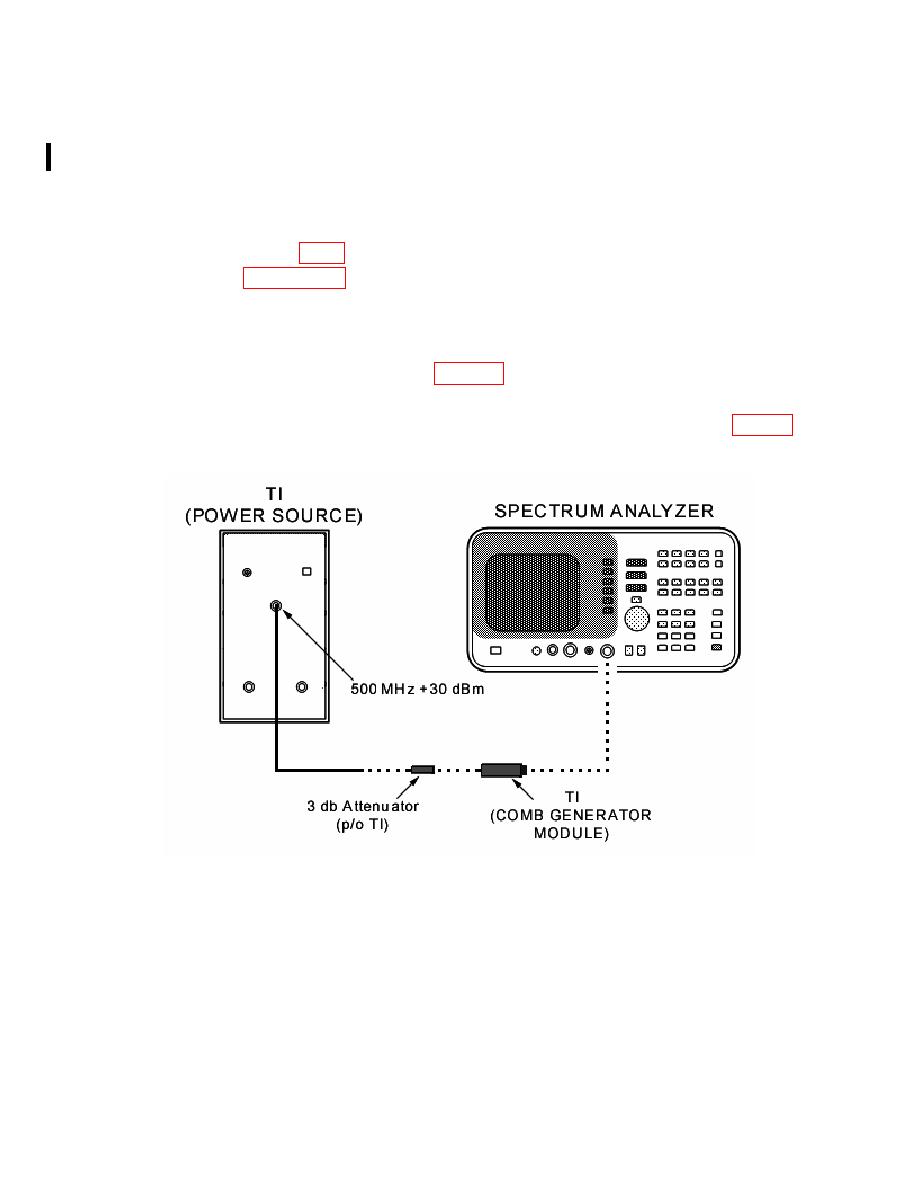
(1) Connect equipment as shown in figure 2.
(2) Press STANDBY pushbutton to ON.
(3) Adjust spectrum analyzer to display the comb line frequencies listed in table 3.
Comb lines will be within limits specified.
CHANGE 1
6
PIN: 059744-001
