

TB 9-6625-2164-24
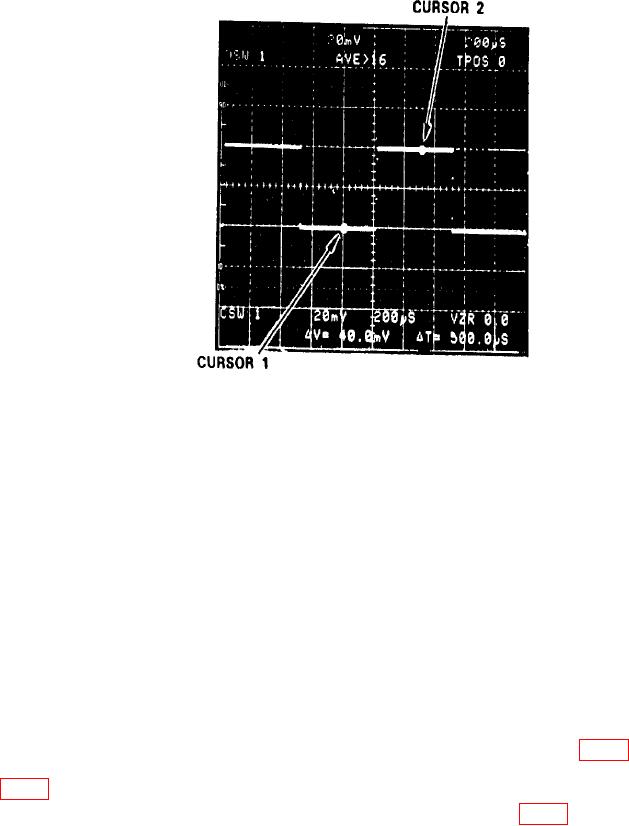
Figure 7. Check vertical linearity.
(12) Press CH 1 and CH 2 GND pushbuttons.
(13) Adjust CH 2 POSITION control fully cw and then fully ccw. TI VZR display
indication will be at least 5.0 (cw) and -5.0 (ccw); if not, perform b (11) through (20) below.
(14) Press AQR MODE CH 1 1 pushbutton.
(15) Adjust CH 1 POSITION control fully cw then fully ccw. TI VZR display
indication will be at least 5.0 (cw) and -5.0 (ccw); if not, perform b (1) through (10) below.
b. Adjustments
(1) Press MENU/TEST and MEMORY DISPLAY 4, 5, 6 and MENU/TEST pushbuttons.
(2) Position controls as listed in (a) through (d) below:
Set CH 1 VOLTS/DIV switch to 10 mV.
(a)
Press CH 1 GND pushbutton.
(b)
Set TIME/DIV switch to 500 s.
(c)
Adjust CH 1 POSITION control to align trace with the center graticule line.
(d)
(3) Connect a shorting cable between TP1220 and TP520 TP GND (fig. 4). TI VZR
display readout will indicate between -0.2 and +0.2; if not, adjust CH 1 CENTERING R410
(fig. 2) to align trace with center graticule line (R).
(4) Remove shorting cable from TP1220 and TP520 TP GND (fig. 4).
(5) Press CH 1 AC pushbutton and set VOLTS/DIV to 20 mV.
(6) Connect oscilloscope calibrator SOURCE/MEASURE CHAN 1 output to CH 1
input and adjust oscilloscope calibrator frequency for 1 kHz and amplitude for 50 mV.
13