

TB 9-4931-488-24
(28) Set measuring receiver to measure AM Depth.
(29) Adjust AM vernier for 10% indication on TI meter.
(30) Adjust A26A2R19 (% AM, fig. 2) for a measuring receiver indication of 10% AM depth.
(31) Set AM and RF OFF/ON switches to OFF. Repeat 16 a above.
17. AM Flatness (Option 004 Only)
a. Performance Check
(1) Press PRESET on measuring receiver.
(2) Connect equipment as shown in figure 5.
(3) Position TI controls as listed in (a) through (d) below.
(a) AM control fully ccw.
(b) RANGE MHz switch to 128 - 64.
(c) FREQUENCY TUNE for 113 MHz on FREQUENCY MHz display.
(d) OUTPUT LEVEL switches for 0 dBm output.
(e) Switch RF OFF/ON switch to ON.
(4) Set AM switch to OFF then adjust pulse generator controls for 1.0 V rms at 90 Hz.
(5) Set AM switch to DC and adjust AM control for TI meter indication of 50% AM.
(6) Set measuring receiver for AM DEPTH in dB mode. When reliable reading is
displayed press AMPLITUDE/Y-SCALE and press DISPLAY MODE key to RATIO.
(7) Set the pulse generator output for a 150 Hz.
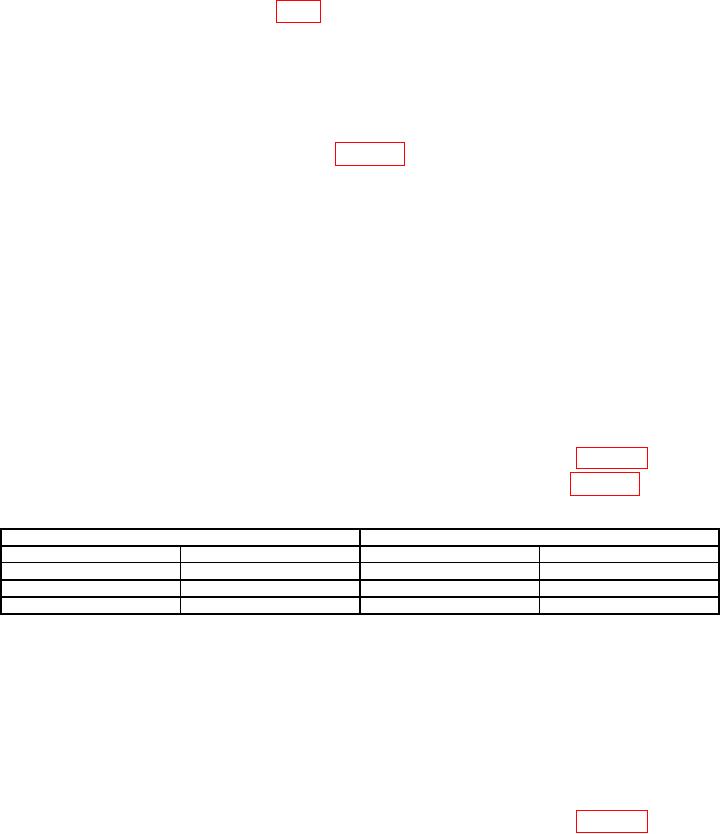
(8) The measuring receiver should indicate between limits listed in table 27.
(9) Repeat technique of (7) and (8) above for remaining settings in table 27.
Table 27. AM Flatness 113 MHz Option 004 only.
Pulse generator
Measuring receiver (Hz)
Level (V)
Frequency (Hz)
Min
Max
1
150
-0.1
0.1
1
1
10
k
-0.1
0.1
1
11
k
-0.1
0.1
Repeat technique of (4) through (6) above with 9 kHz source frequency before performing this step.
1
(10) Set pulse generator to 90 Hz.
(11) Adjust AM control fully ccw. Set RANGE MHz switch to 512 - 256 and adjust
FREQUENCY TUNE control for FREQUENCY MHz display indication of 332 MHz.
(12) Adjust AM control for TI meter indication of 50% AM.
(13) Set measuring receiver for AM depth in dB mode. When reliable reading is
displayed, press AMPLITUDE/Y-SACLE then set DISPLAY MODE to RATIO.
(14) Set the pulse generator output for a 150 Hz.
(15) The measuring receiver should indicate between limits listed in table 28.