

TB 9-4920-467-24
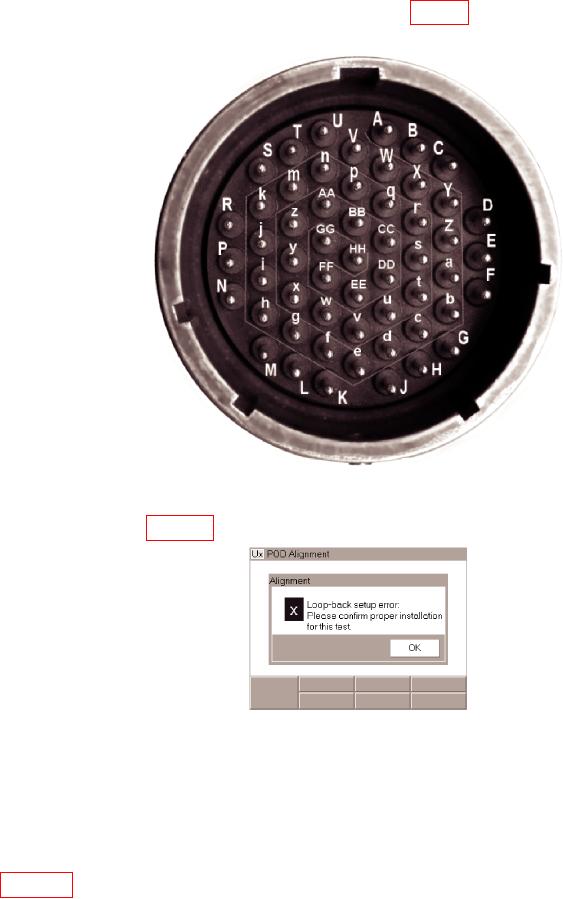
v. Connect a jumper wire from pin i to pin w (fig. 11). This will allow the system to
over-write the existing alignment constants with new ones.
Figure 11. ETTS POD J1 Pin Locations.
w. If the i to w jumper gets disconnected during any of the following performance tests
the error screen in figure 12 is displayed. Reconnect the jumper and re-run the test.
Figure 12. Loop-Back Error Screen.
x.
Apply power to the UxValidator and to the TI ETTS Pod, PN 09-0104-31.
y. Hold down the TI ETTS BrainPak left Encoder knob to view the Menu on the
UxValidator.
z.
Select Tools. The Tools page is displayed on the UxValidator.
aa. From the options given, select and activate Align. An alert is displayed as shown in
figure 13, instructing the user to unlock alignment.
8